Playfield Rotisserie 3d Printing
By: John Havel (Cmndr Brain) © 2023


3d Printer settings for the parts needed to build my take on a pinball playfield rotisserie.


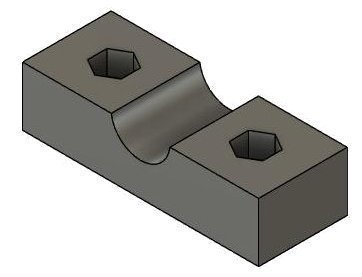
Top & Bottom Bracket:


Bottom Rotisserie Bracket

Infill Density: 40%
Increase wall count to 6 or 8
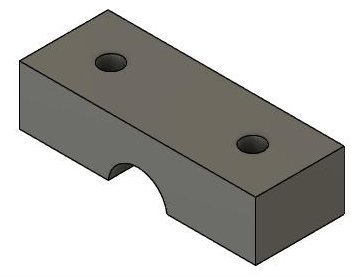
Top Rotisserie Bracket

Infill Density: 40%
Increase wall count to 6 or 8
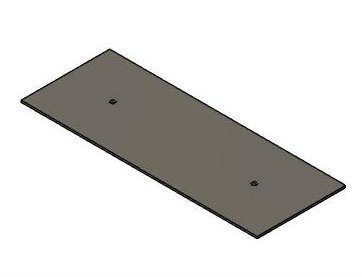
Drill Template

This only prints 2 layers. Use whatever
settings that's quick and easy for your printer
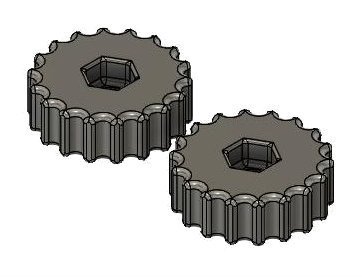
Knob

Infill Density: 50%
Increase wall count to 6 or 8
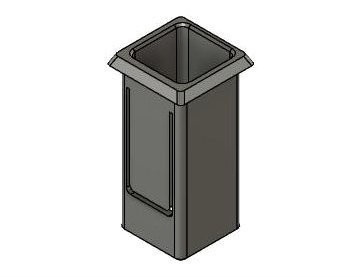
Vertical Spacer

Infill Density: 50%
Default wall count of 2


The knob hex holes for the nuts are purposfully small and tight. Place the nut on top of the knob hole and use a soldering iron through the center of the nut to heat it up. The hot nut will melt its way into the retaining hole. This "locks" the nut into the plastic.

Each of the pieces have rather high infill density settings and increased wall counts to withstand the pressures exerted on the parts. You can use higher density settings but, there come a point where the strength of the part doesn't increase and just becomes a waste of filament.